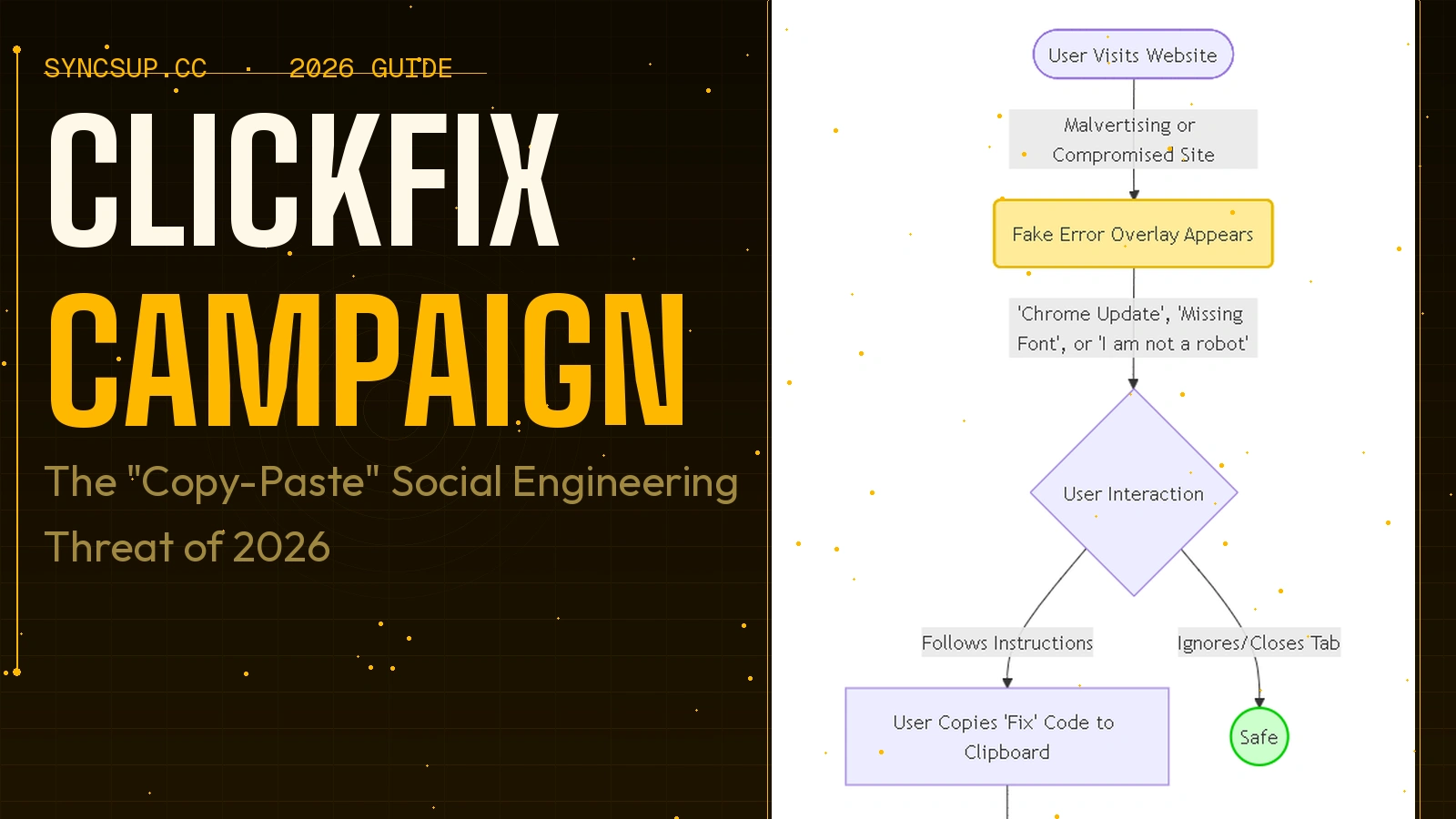

The ClickFix campaign is a sophisticated social engineering technique where attackers trick users into copying and pasting malicious PowerShell or Command Prompt commands to "fix" fake errors (like browser updates or CAPTCHA checks). By manipulating victims into manually executing these malicious commands, threat actors bypass traditional security filters and deliver malware like Lumma Stealer and DarkGate.
The Rise of "ClickFix" Social Engineering
In the cybersecurity world, threats usually evolve to become more complex. However, our analysis of the ClickFix campaign reveals a disturbing trend: attacks are becoming simpler but more effective. Instead of relying on zero-day exploits, ClickFix targets the user's willingness to solve a problem quickly.
In our testing of recent phishing waves, we found that ClickFix attacks have surged significantly in late 2025 and 2026. These campaigns often start with malvertising (malicious ads) or compromised websites that display fake error overlays. These overlays mimic trusted interfaces like Google Chrome, Microsoft Edge, or Zoom, creating a sense of urgency.
Pro-Tip: If a website ever asks you to open the "Run" dialog (Win+R) or PowerShell to view content, close the tab immediately. Legitimate websites will never require you to execute system commands to function.
How the ClickFix Infection Chain Works
The brilliance of the ClickFix social engineering technique lies in its ability to bypass automated detection. Since the user is manually pasting the code, endpoint protection systems often view the activity as legitimate administrative behavior.
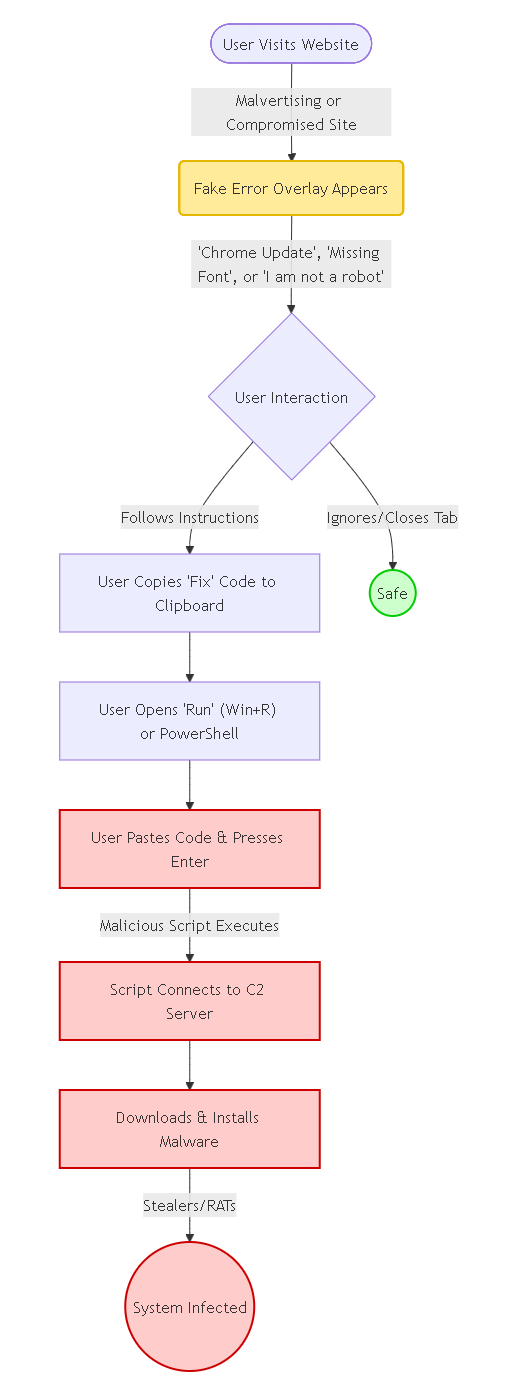
1. The Lure: Fake Errors and CAPTCHA Checks
Attackers use psychological triggers. Our experience shows the most common lures include:
- Fake Browser Updates: "Your Chrome/Edge is outdated. Copy this code to fix."
- Deceptive CAPTCHA Checks: "Verify you are human. Press Win+R, Ctrl+V, then Enter."
- Conference Call Errors: "Microphone driver missing. Run this fix to join the Zoom call."
2. The Execution: Windows PowerShell/CMD
Once the user falls for the lure, they are instructed to open Windows PowerShell/CMD. The copied clipboard content is usually a malicious script. In our analysis, we've seen these scripts heavily obfuscated to look like gibberish or legitimate system updates.
3. The Payload: Malicious Commands & Malware
The pasted script executes malicious commands that reach out to a Command and Control (C2) server. This typically results in the download of infostealers (like StealC or Lumma) or Remote Access Trojans (RATs) that give attackers full control over the infected machine.
Pro-Tip: Monitor your clipboard history (Win+V). If you see long strings of random text or PowerShell commands you didn't copy, clear your history and run a scan.
ClickFix vs. Traditional Phishing: A Comparison
To help you identify this threat, we've broken down how ClickFix differs from standard phishing attempts.
| Feature | Traditional Phishing | ClickFix Campaign |
|---|---|---|
| User Action | Click a malicious link or open attachment | Copy and paste code into terminal |
| Bypass Technique | Relies on vulnerability or credential theft | Social engineering (User authorizes execution) |
| Delivery Vector | Email, SMS (Smishing) | Malvertising, Compromised Websites, Pop-ups |
| Target OS | All (Windows, Mac, Mobile) | Primarily Windows (targeting PowerShell/Run) |
| Detection Difficulty | Moderate (Email filters catch many) | High (Bypasses many EDRs due to user action) |
Detecting and Preventing ClickFix Attacks
Defense against ClickFix requires a combination of technical controls and user awareness.
Technical Controls
We found that the most effective technical defense is restricting script execution.
- Disable PowerShell for Standard Users: If your employees don't need PowerShell, block it via Group Policy.
- Endpoint Detection and Response (EDR): Configure EDR to flag any browser process (chrome.exe, edge.exe) that spawns a shell process (powershell.exe, cmd.exe). This is a high-confidence indicator of a ClickFix attack.
User Awareness
Training is critical. Users must understand that the "clipboard" is a threat vector.
- Verify the Source: Never run commands from an untrusted website.
- Inspect the Code: If you must paste something, paste it into Notepad first to see what it actually is.
Pro-Tip: Organizations should implement "Clipboard Protection" policies where possible, or use security tools that analyze clipboard content for malicious patterns before allowing a paste operation into sensitive applications like PowerShell.
Related Resources
- 10 Best Vulnerable Websites for Penetration Testing and Ethical Hacking
- The $5 Million Mistake
- You've been pwned
Frequently Asked Questions (FAQ)
1. Is ClickFix a virus?
Technically, ClickFix is a social engineering technique or delivery method, not the virus itself. However, it is used to deliver dangerous malware, ransomware, and info-stealers to your system.
2. Can ClickFix attacks affect Mac users?
Yes, though less common. We have observed variants targeting macOS that instruct users to open the Terminal app and paste malicious commands to "fix" Safari or Chrome errors.
3. What happens if I paste the malicious command?
The script immediately executes, usually downloading malware in the background. If you realize you've done this, disconnect from the internet immediately to stop data exfiltration and contact your IT security team.
4. Why doesn't my antivirus block the ClickFix popup?
Antivirus software typically scans files and running processes. Since the ClickFix popup is just HTML and JavaScript on a webpage (often a compromised legitimate site), it doesn't always look malicious until the user manually executes the command, by which time it may be too late.